
You can open a site, see Google Analytics installed, and still lose the purchase or lead you are counting on. The tag is on the page. The page can even announce the event. Google never received the hit.
Otto The Tag Auditor closes that gap. You point it at a site. It walks the pages, scores a checklist, and writes the next fix.
A tag is the small piece of code that tells Google Analytics 4 what a visitor did. Google Analytics 4, or GA4, is the analytics product. Many sites load that code through Google Tag Manager, or GTM. The data layer is the list of messages the page hands to Tag Manager, so a tag can hear that a purchase or a lead just happened.
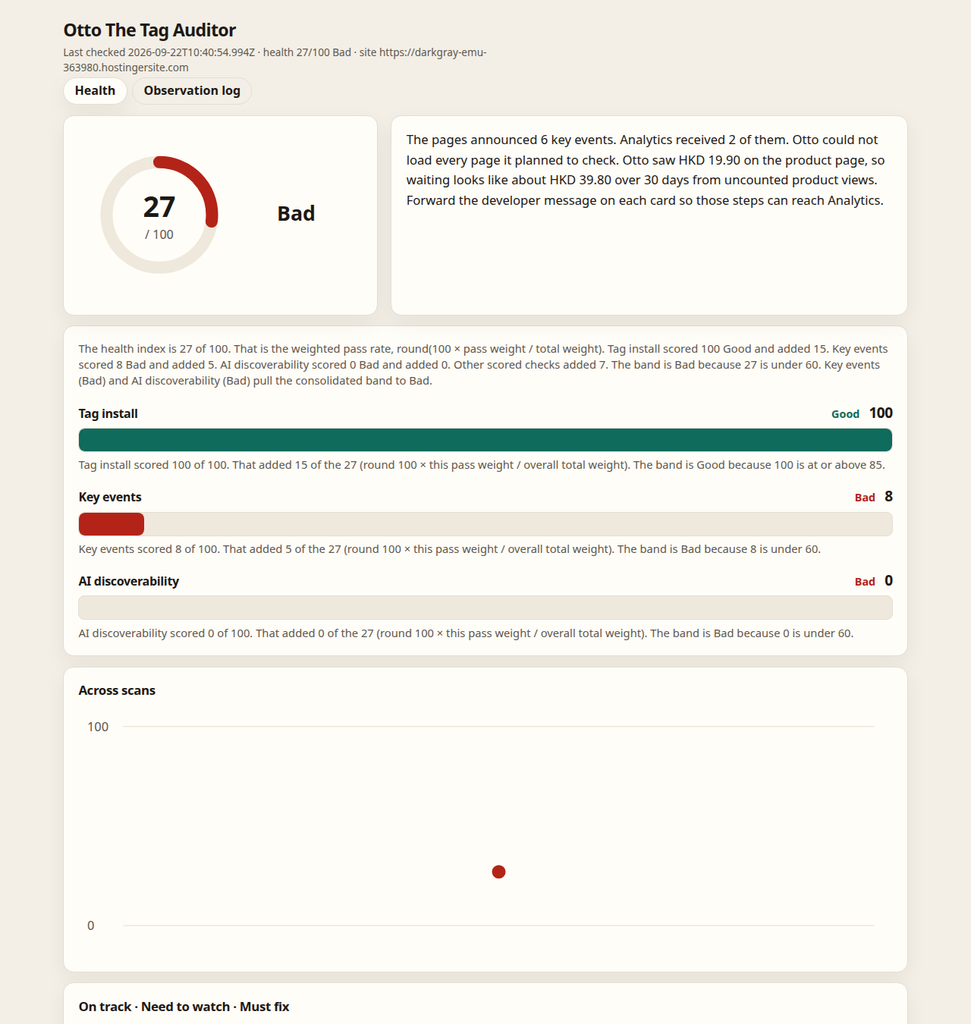
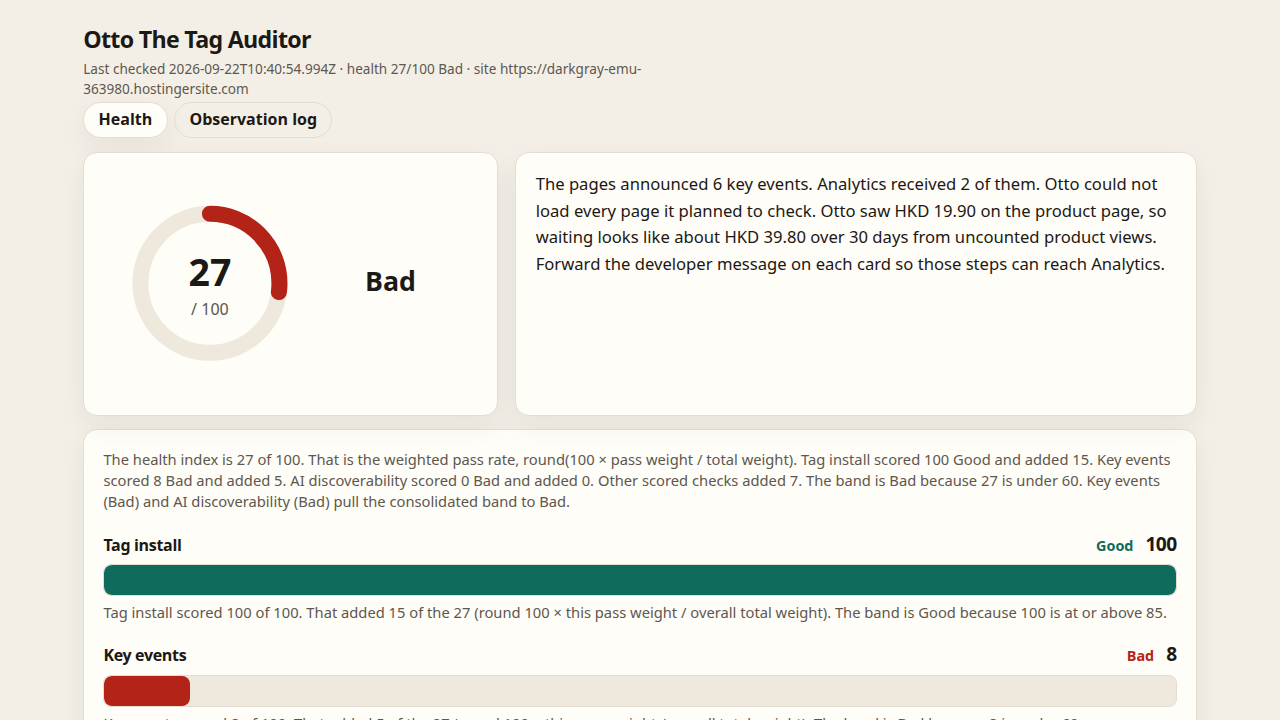
Otto The Tag Auditor health dashboard
What the check looks for
Otto starts with the pages you already named, and with thank-you pages. It then adds pages from the list the site publishes and from links on those pages. On each page it looks for Tag Manager and Analytics, for the data layer messages, for the structured data on the page (the labels that describe what the page is), for clues about cookie consent, and it clicks through on the important pages so a click-based tag has a chance to fire.
The proof Otto uses is the request Analytics sends when something happens. That request is called a collect hit. Otto reads the event name on it, and it checks that the hit belongs to your Analytics property.
A data layer message can show up in the browser and still fail this check. If the page announced the event and Analytics never sent the hit, Otto marks the tag wrong. If the page said nothing and Analytics sent nothing, Otto marks the tag absent. The installed tag and the message stay in the notes. The verdict follows the collect hit.
A shop and a lead site
A shop is scored on cart and purchase events. A lead site is scored on lead events. When Otto is not confident which kind of site it is, those extra recommended events are marked not applicable and drop out of the score.
The score, in ordinary words
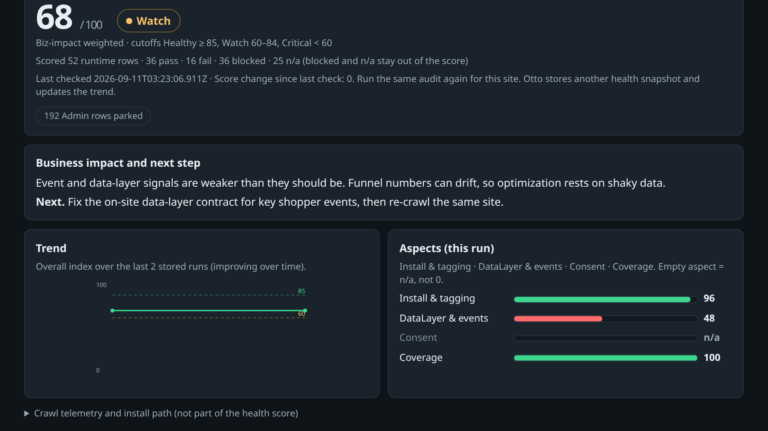
Each checklist row ends as a pass, a fail, not applicable, or blocked. Not applicable means the row does not belong here. Blocked means Otto could not prove the row. Only a pass or a fail changes the score.
The score runs from 0 to 100. A critical row is worth more points than a low one. The number is the share of those points that passed.
A score of 85 or above is healthy, 60 or above is watch, and anything below 60 is critical. The dashboard shows those same cuts as Good, Watch, and Bad. If a critical row fails, the result is critical even when the points would have landed in a higher band. If a high row fails, a healthy result drops to watch.
If Otto sees no cookie banner, the consent row is blocked. That row leaves the score, and the dashboard hides the consent group. A hidden group means Otto could not prove consent.
The next fix, and a short diary
What you read is a fix card, not the raw checklist line. A card can include a short example a developer can paste. When Otto saw an order value, the card can show the value of the orders the tag missed.
The same run writes a diary. Each page visited becomes three lines: the data layer message, whether the tag fired, and whether the structured data was read. Each line has a time, the page address, and a verdict of present, absent, or wrong.
The health view shows the score and the fix cards. The diary view shows those three lines. Both open the saved run. They do not walk the site again.
A finished scan also writes a slide deck. It opens with the score, then the pieces that make the score, then two slides for each broken issue: the problem and the page, then the suggestion.
The cards and the slides are filled in from templates. The scan does not call a language model to write them. A later health check runs the same steps again, against the latest saved run.
The first post is Introducing Otto: agentic AI for marketing tag audits.